Showing posts with label Make Money Online. Show all posts

Thursday, September 5, 2013

How To Make Money Online?

Make money online
Everyone likes to make money.If you are an internet surfer then why not make some money online by doing part time jobs.There are different ways of making money online.One of the best and growing method is by displaying ads on your site.So if don't have a site create a free site now.The different ways of making money online are through displaying ads,affiliate marketing,offering help,text link advertising,etc.In this post I will explain these methods in more detailed so that you can decide what to choose for monetizing your blog.

Displaying Ads
Popular Ad Networks

This is one of the most popular method used by bloggers.There are many ad networks like Adsense,Chitika,media.net{Yahoo | Bing network},etc.These will allow you to place different ads to your site.The ad network will display the most relevant ads for your site.You earn money either for each click or for every 1000 impressions for your ad in this type of network.Getting approved with Google Adsense can be difficult with no unique content.Only apply for ad networks like this once you have a good amount of visitors per day.Otherwise you will end up optimizing your ads rather than producing unique content.You can also have direct advertising for your site with sites like buysellads.You get  paid for displaying the ad for a specific duration by selling your ad space directly to advertisers.

Affiliate Marketing


How affiliate marketing works?

Affiliate Marketing also means to display ads on your site.But there is a change on how you get paid.You can easily display the company's ads on your site without any site requirements.For example,consider that you are displaying ads of amazon on your site.In this case you will get paid only when a user purchases an item through the ad link.Here there is no CPC or CPM.You get a commission for each sale of the product.
Check this link to learn more about amazon affiliate.There are a lot of sites that offer affiliate marketing.Almost all online stores and web hosting companies has its affiliate program.

Text Link Advertising
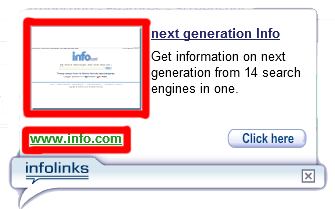
Infolinks | A text link advertising network
These are link advertising which means keywords in your article are converted to links that redirects to the advertisers website.These type of ad networks pay either for each click on the link or a fixed amount per month.There are many of these networks such as Viglink,Skimlink,etc.You cam read more about these ad networks and how they pays here.

Get Paid To Offer Your Help Or Assistance

Sites like  Fiverr
The first three methods explained in this post can be done only if you have a site.But this is quite different from other methods.You might not have heard about this way of making money online.You get an amount for offering your assistance.For example" I say I will edit your blog for 5$ ".When someone is interested in this deal they pay me and that is how you earn.It can be of any assistance or help.Some of the sites that allows you to do this are Fiverr,GigBucks,Zeerk,SEOClerks,etc.Check out other top sites like this here.

Have I missed something?What to add further in this post?Tell us in the comments.Out of these what you likes the most and why?Leave your valuable comments below.
                                                       Thank You! Keep Visiting !

Sunday, August 18, 2013

The Most Effective AdSense Tips for Newbies & Low Earners

Adsense is a great way to make money online.But a lot of people fail to make at least 1$ a day.One of the main reason for this is poor traffic.Imagine if you have 100 people a day on your site and only 2-3 click on the ads,then you are not gonna make anything from adsense.So you need more traffic.

Why is it recommended to join adsense once you have high visitors?
Many people create a site,write some post(for the sake of writing)and then apply for adsense.Once they got approved they start to experiment with different ad placements,colors.,etc. so as to make more money.Thus creating content becomes the secondary task and you will start loosing your traffic.Gradually you get depressed with lower earnings.You will then go for other ad networks without creating good unique content.

Why is my CPC,CTR,etc. too low?
The main reasons for this is because you don't have enough traffic.The traffic source and the country will also be a factor of your CPC.

How can I increase my earnings?

  • Keep on creating good&unique content
  • Target audience from high paying countries like USA
  • Practice methods to increase your organic traffic (search traffic)
  • Get more and more backlinks which helps to increase your Google Page Rank
  • Create custom channels and track your ad progress.Then remove the low performing ad units.
  • Make your custom channels targetable.
  • Block irrelevant ad categories in your adsense.
  • Use different adsense services like adsense for feeds,adsense for search,etc.


Check out my previous posts on adsense optimization if you haven't already.


Saturday, August 17, 2013

15 Best Adsense Ad Placement Locations!

Adsense is a great way to make money from a website.Many people make thousands of dollars from their blog using adsense while others earn a very few amount.There are many reasons for this different earnings like CPC,unique content,CTR,etc.One of the most important reasons that affects adsense earnings is ad placement.Many people fail to place the ads properly.This can be due to the reason that they don't know where to place the ads.This article will discuss about the most common places on our blog for ad placement.


1 ) In The Sidebar

This is the easiest place to add adsense code.
How to implement?  Go to the layout page in blogger,click on add a widget and add an HTML/Javascript widget the adsense code in it or directly add a Adsense widget.

2 ) Between Posts

To add Adsense between post simply go to the blogger dashboard and navigate to layout.Click Edit Link below the blog post section and put a check mark on 'Show Ads Between Posts' option.

3 ) Under The Header

First of all convert your adsense code here: Adsense Converter
Then go to your blogger dashboard,navigate to template and click on 'Edit HTML'.
Find <div id='header-wrapper'>
Paste the converted code right after it.

4 ) Above The Blog Post

Add an adsense ad in the sidebar (explained above) and then drag the ad right above the blog post.
If It Doesn't work:  Convert your ad code and search for <div id='main-wrapper'> in your template.
Paste the converted code right after it.
Recommended size:728*90 , 468*60

5 ) Under The Post Title (Visible on all pages)

This is a great ad placement location to increase your CTR!
How to add?  Convert your ad code and go to your blog template.Find <div class='post-header-line-1'/>
Paste the converted code right after it.

6 ) Under The Post Title (Visible only on post pages)

This is a great ad placement location to increase your CTR!
How to add? Convert your ad code and go to your blog template.Find <div class='post-header-line-1'/>
Paste the converted code right after it following this format.
<b:if cond='data:blog.pageType == "item"'>


 YOUR AD CODE HERE

</b:if>


7 ) Above The Post Title (Visible on all pages)

Convert your ad code and go to your blog template.Find  <a expr:name='data:post.id'/>
Paste the converted code below it.
NOTE:If there are two or more of the same code paste the code after the right one.

8 ) Above The Post Title (Visible only on post pages)

Convert your ad code and go to your blog template.Find  <a expr:name='data:post.id'/>
Paste the converted code below it in the following format:
<b:if cond='data:blog.pageType == &quot;item&quot;'>
YOUR AD CODE HERE
</b:if>

9 ) In The Post's Footer

Convert your ad code and then go to your template.
Find <p class='post-footer-line post-footer-line-3'/>
Paste the converted code right after the above code.

10 ) In The Post's Body (Visible on all pages)

Convert your ad code and then go to your template.Search for  <div class='post-body entry-content'>
Note:If you can't find the above code then search for <div class='post-body'> 
Paste the converted code following this example:
 <div style='float:right'>


YOUR AD CODE HERE

</div>
To align the ad to the left simply change right to left.

11 ) In The Post's Body (Visible only on post pages)

Convert your ad code and then go to your template.Search for  <div class='post-body entry-content'>
Note:If you can't find the above code then search for <div class='post-body'> 
Paste the converted code following this example:
<b:if cond='data:blog.pageType == "item"'>
 <div style='float:right'>


YOUR AD CODE HERE

</div>

</b:if>

To align the ad to the left simply change right to left.

12 ) Between Post And Comments

Convert your ad code and then go to your blog template.
Find </b:includable>
<b:includable id='commentDeleteIcon' var='comment'>
Paste the converted code in the following manner.
 <b:if cond='data:blog.pageType == "item"'>


YOUR AD CODE HERE

</b:if>

13 ) In The Blog's Footer

Convert your ad code and then go to your blog template.Find <div id='footer-wrapper'>
Paste the converted code right after it.

14 ) Anywhere In The Post

If you want to add an ad anywhere onto you post simply copy the ad code(Do not convert).Switch to HTML view in your post editor and paste the ad code in your desired location.(Make sure all the tags are closed properly)

15 ) Add Two Ads Side By Side

If you want to add two ads side by side then follow the below syntax.
<table width="520" cellspacing="0" cellpadding="0" border="0">
<tr>
<td width="250" style="padding: 5px;" align="center"> 
ADSENSE CODE 1 
</td>
<td width="250" style="padding: 5px;" align="left"> 
ADSENSE CODE 2 
</td>
</tr>
</table>


Paste this code wherever you want the ad to appear.
NOTE:You may need to convert your ad code if you are adding this code directly into the template.

FAQ

I can't find the codes!What should I do?
Check the 'Expand Widget Templates' checkbox.Try searching without the trailing slash /
Make sure that there is no space before and after the code in the search box.

Why should I convert the code?
You cannot add HTML directly into Xml template.So you need to encode them in order to make it function.

Can I put all the ad code?
No,you are not allowed to!You can only place 3 ad units in a page.(Excluding link unit ads)
HOPE THIS HELPS!
SUBSCRIBE US IF YOU FIND THIS POST HELPFUL
What do you think?Leave a comment!

Tuesday, August 13, 2013

Earn More With Text Link Ads! (Link Ad Companies Displayed On Google)

Google Adsense is a great way to make money online with a site.But getting approved from google is difficult.There are many Adsense alternatives that pays good.Have you heard about link ads?Link ads are links that points to the advertiser's websites from the relevant keyword on your blog.You can use these link ad services to earn even more from your site along with other ad services like adsense.

Some Link Ad Services

  • VigLink - I have heard about VigLink from Google's Monetization with other services page.They pay when users click and buy. There is no cost to try,and you can get up and running in minutes.
  • Skimlinks - I came to know about this site also from the Google's page.They also pay like VigLink does.Joining is free!
    Skimlink Ad Sample
  • MediaWhiz SEO - This company was earlier known as Text Link Ads.This site is different from the rest because this site pays a fixed charge for displaying links on your content.The links are charged on monthly basis.Getting approved is difficult.
  • Infolinks - This is a common service that most bloggers use.They don't have any strict requirments for you to join.Joining is completely free.They offer variety of ads to enhance your earnings.They pay for each click on the links.
    Infolink ad displayed on hovering the ad link.

Saturday, August 3, 2013

Guide to Adsense Ad Size And Ad Placements !!

Creating a site is very simple.Getting approved by Google AdSense is hard.Earning from your site is very difficult without proper arrangements of ads.This post will help you understand more about ad sizes and best ad placement locations.
Ad sizeDescriptionText adsDisplay adsMobile text and display ads*
300x250
Also known as a "medium rectangle". Tends to have more ad inventory available from advertisers, which can increase earnings when both text and image ads are enabled.

Performs well when embedded within text content or at the end of articles.
336x280 
Also known as a "large rectangle". Tends to have more ad inventory available from advertisers, which can increase earnings when both text and image ads are enabled.

Performs well when embedded within text content or at the end of articles.
728x90
Also known as a "leaderboard". Tends to have more ad inventory available from advertisers, which can increase earnings when both text and image ads are enabled.

Performs well if placed above main content, and on forum sites.
160x600
Also known as a "wide skyscraper". Tends to have more ad inventory available from advertisers, which can increase earnings when both text and image ads are enabled.

Best if used along sidebars of webpages.


The full list of Ads and Ad Placement table can be download for free from the below link!
Courtesy:Google


© 2013 Klick Dev. All rights resevered.

Back To Top